
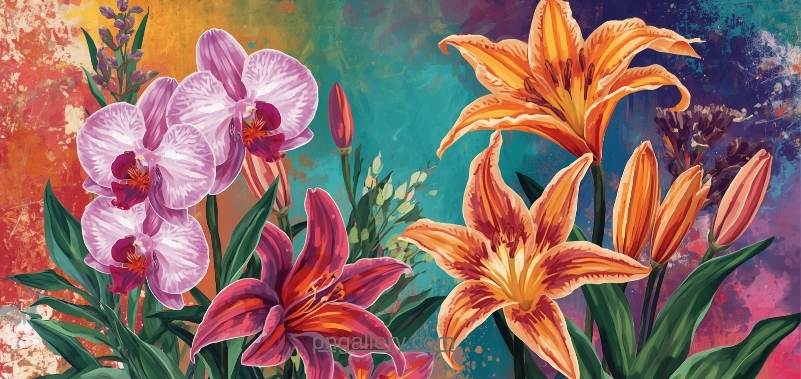
Flowers make any design look better. They add color. They add life. They add a soft touch to any project. But not every flower image works well. Some have ugly backgrounds. Some look blurry. Some are hard to place on a page. That is why a good flower PNG collection matters so much.
This guide is simple. It tells you what flower PNG images are. It tells you why they work so well. It shows you where to find them. It also shows you how to use them the right way.
What Is a Flower PNG Collection?
A flower PNG collection is a group of flower images. Each image uses the PNG file format. PNG stands for Portable Network Graphics.
PNG files have one big strength. They support clear backgrounds. This means a flower image has no white box around it. It just sits on your page. It looks clean. It blends in with any design.
A collection means you get many flowers in one place. You may find roses. You may find sunflowers. You may find tulips too. A strong collection gives you many choices in one spot.
Why Choose PNG Format for Flower Images?
PNG format gives real benefits for flower graphics. Here are the main ones.
First, PNG keeps quality high. The image does not lose detail when you save it. This matters for small icons and large banners alike.
Second, PNG supports clear backgrounds. You can place a flower on any color. It will always look sharp and neat.
Third, PNG files resize well. You can make a flower bigger for a banner. You can make it smaller for an icon. The edges stay clean either way.
Fourth, most tools read PNG files with ease. Web builders read them. Design software reads them. Presentation tools read them too.
Where to Find Flower PNG Images
Finding good flower images takes some care. Many free sites offer weak files. Some have odd shadows. Some look pixelated when resized. Some come with tiny, hard-to-remove watermarks.
A better choice is a trusted image library. You can browse a full flower PNG collection with many styles and sizes in one place. This saves time. It also keeps your project looking sharp.
Good libraries offer more than one style. You may want a realistic photo-style flower. You may want a flat, simple flower icon instead. A strong site gives you both options and more.
How to Download Flower PNG Images
Downloading a flower image is simple. Just follow these steps.
First, open the flower page on the site. Browse the styles you like.
Second, check the size options. Images often come in small, medium, and large sizes. Pick the size that fits your project.
Third, click the download button. The file will save right to your device.
Fourth, check the background. Make sure it is clear. Open the file to confirm this before you use it.
If your project needs more variety, you can explore the full range of flower graphics on this site and pick what fits best.
Best Practices for Using Flower PNG Images
Using flower images the right way makes a big difference. Poor use can make a design feel messy or off-balance.
Keep the flower size in proportion. Do not stretch the image. Stretching makes petals look warped and strange.
Match the flower style to your project tone. A wedding invite may need a soft, realistic flower. A kids’ project may need a bright, flat flower icon.
Use white space around the flower. Do not crowd it with too much text or too many other images. Let the flower stand out on its own.
Pick colors that match your theme. A pink rose fits a romantic design. A yellow sunflower fits a cheerful, summer theme.
Test the image on different screens. Check how it looks on mobile. Check how it looks on a desktop screen too. Small details can shift between screen sizes.
Common Uses for Flower PNG Images
Flower images show up in many types of projects. Wedding designers use them on invitations and save-the-date cards.
Bloggers use flower graphics to decorate posts about beauty, gardening, or lifestyle topics. This adds a nice visual touch to plain text.
Social media creators use flower PNGs for quote graphics. A soft flower behind text makes a post feel warm and inviting.
Teachers and students use flower images for school projects. They add color to posters, slides, and printed handouts.
Businesses use flower graphics in seasonal marketing. Spring sales and Mother’s Day promotions often use fresh flower art to catch the eye.
If you need a wide range of options, this pngallery.com flower gallery offers styles for each of these use cases in one place.
Tips for Choosing the Right Flower Style
Not all flower images work the same way. Some are bold and bright. Some are soft and pale. Some use line art instead of full color.
Think about your brand or project tone first. A minimal brand may want a simple line-art flower. A festive brand may want bold, full-color blooms.
Also think about file size. Large image files can slow down a website. Choose a well-made PNG that stays sharp but does not weigh your page down.
Finally, think about placement. A large flower may work as a background. A small flower may work better as an accent near a headline or button.
Conclusion
A flower PNG collection can lift any design. These images bring color and warmth to blogs, websites, and printed work. The PNG format keeps quality high and backgrounds clear, which makes flowers easy to place anywhere.
Always pick a trusted source for your images. Check the size and background before you use any file. Match the flower style to your project’s tone. With the right flower images, your design will look more polished and more inviting.
FAQs
1. What is a flower PNG image?
It is a flower graphic saved in PNG format. This format supports clear backgrounds and sharp detail.
2. Why use PNG instead of JPG for flower images?
PNG supports clear backgrounds. JPG does not. PNG also keeps sharper detail when you resize the image.
3. Are flower PNG images free to use?
Many sites offer free flower images. Always check the site’s terms before you use a file.
4. What size flower image should I use for a website?
Small sizes work well for icons and accents. Larger sizes suit banners and full-page backgrounds.
5. Can I change the color of a flower PNG image?
Yes, many editing tools let you adjust color. Just make sure the final look still fits your project’s style.