
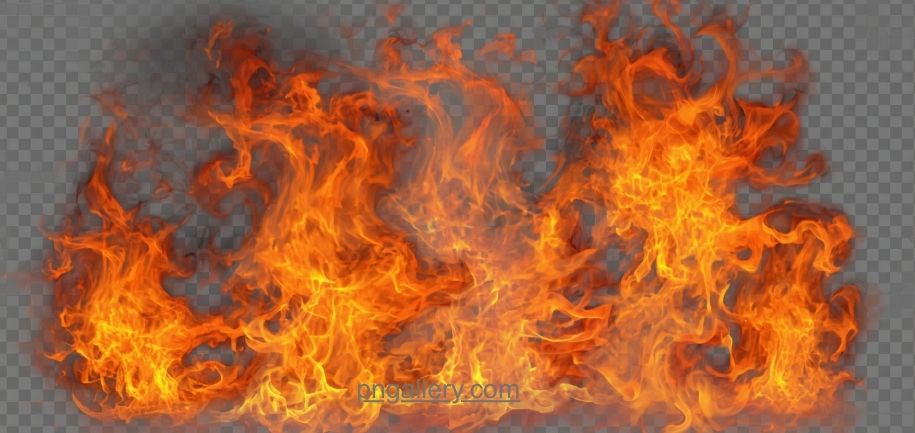
Fire adds energy to any design. It grabs attention fast. It brings heat and motion to a flat image. That is why fire PNG effects are so popular. Designers use them all the time. Gamers use them too. So do video editors and social media creators.
This guide explains fire PNG effects in simple terms. It shows why they work so well. It shows where to find good ones. It also shows how to use them the right way.
What Are Fire PNG Effects?
A fire PNG effect is a small image file. It shows flames, sparks, or smoke. The file type is PNG. PNG stands for Portable Network Graphics.
PNG files support clear backgrounds. This is the key feature. A fire effect with a clear background can sit on top of any photo. It blends in fast. It does not carry a white box around it.
This is why fire PNG effects beat other formats. JPG files always carry a solid background. That makes them hard to blend. PNG solves this problem with ease.
Why Fire PNG Effects Matter
Fire effects do more than look cool. They serve real design goals.
First, they add drama. A photo with fire looks bold. It grabs the eye fast.
Second, they boost story. Fire can show danger, power, or passion. It adds meaning without words.
Third, they save time. You do not need to shoot real fire. You just drop a PNG effect onto your image.
Fourth, they work across many tools. Photoshop reads them. Canva reads them. Mobile apps read them too.
Where to Find Fire PNG Effects
Good fire effects are hard to find on your own. Many free sites offer weak files. Some have jagged edges. Some carry a gray background instead of a clear one. Some look fake.
A trusted icon and effects library solves this problem. For example, you can find a clean fire PNG effect built for smooth blending. The site offers many styles. Some show small flames. Some show large blazing fire. Each file has a clear background.
A strong library also gives you range. You may want a soft flame for a logo. You may want a wild blaze for a poster. Good sites offer both.
How to Download Fire PNG Effects
The download process is simple. Just follow these steps.
First, open the effects page on the site. Browse the fire options.
Second, pick the style you need. Think about size and shape. A tall flame suits a vertical image. A wide blaze suits a banner.
Third, click the download button. The file will save to your device.
Fourth, check the background. Open the file and confirm it is clear. This step avoids surprises later.
If you want more choices, you can browse the full fire effects gallery for free downloads. It covers many styles and sizes in one place.
How to Use Fire PNG Effects in Your Designs
Using fire effects well takes a bit of care. Here are some tips.
Match the fire size to your image. A tiny flame on a huge photo looks weak. A giant blaze on a small icon looks messy.
Blend the edges with soft tools. Most design apps let you soften hard lines. This makes the fire look more real.
Adjust the color if needed. Some fire effects run more orange. Some run more red or blue. Pick a tone that matches your image mood.
Do not overuse fire in one design. One strong flame often works better than five small ones. Too much fire can look busy.
Place fire where it makes sense. On a poster, it may sit behind text. On a game icon, it may wrap around a character.
Common Uses for Fire PNG Effects
Fire PNG effects show up across many fields.
Gamers use them for weapon skins and character effects. A sword wrapped in fire looks more powerful.
Video editors use them for transitions. A quick fire burst can move a scene from one shot to the next.
Marketers use fire in ads. It adds urgency. It can suggest a hot deal or a limited-time offer.
Social media creators use fire in thumbnails. A flaming border can boost clicks on a video.
If your project needs a full range of styles, you can explore more fire effect PNGs sorted by type and size. This makes it easy to pick the right one fast.
Tips for Choosing the Right Fire Style
Not every fire effect fits every project. Some are soft and small. Some are wild and huge. Some carry sparks. Some carry thick smoke too.
Think about your project’s tone first. A calm brand may want a small, soft flame. A bold gaming brand may want a large, fierce blaze.
Also check the image quality before you download. A blurry fire effect will hurt your final design. Pick sharp, high-resolution files whenever you can.
File size matters too. Large files can slow down a website. Try to pick files that stay sharp but load fast.
Conclusion
Fire PNG effects bring energy to any design. They work for games, videos, posters, and social posts. A good fire effect can turn a plain image into something bold and exciting.
Always pick effects with clear backgrounds. Check the size and quality before you use them. Match the fire style to your project’s mood. With the right choice, your design will look sharp, bold, and full of life.
FAQs
1. What is a fire PNG effect?
It is a small image of flames, sparks, or smoke. It uses the PNG format. This format supports clear backgrounds.
2. Why use PNG instead of JPG for fire effects?
PNG supports clear backgrounds. JPG does not. This makes PNG easier to blend into other images.
3. Are fire PNG effects free to use?
Many sites offer free downloads. Always check the site’s rules before you use a file.
4. What size fire effect should I pick?
Match the size to your image. Small flames suit icons. Large blazes suit posters and banners.
5. Can I change the color of a fire PNG effect?
Yes. Most design tools let you shift the color. This helps the fire match your image mood.