
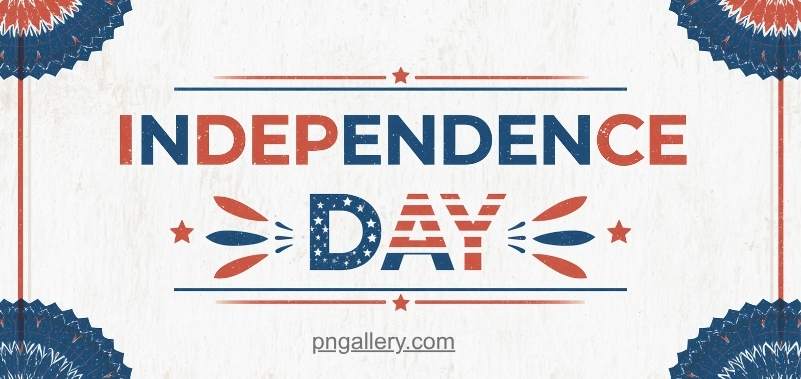
Independence Day brings flags, parades, and a wave of festive posts online. Brands and families both want to mark the day with something visual. This is why so many people search for an independence day banner png. A PNG banner is fast to use. It drops into a card, a social post, or a printed flyer with no extra work. It also keeps a clear background, so it fits any design in seconds.
Popular Independence Day Banner Designs People Are Downloading This Year
Not every banner fits every project. Here are the main styles people choose right now.
Traditional style. These banners use classic flag colors and bold ribbons. They often include stars, stripes, or national symbols. This style suits formal posts and official pages.
Modern flat design. Flat banners use simple shapes and solid colors. There is no shading or texture. This style looks clean on phone screens. It works well for quick social posts.
3D render style. These banners add depth and light. Flags may wave. Text may pop out with shadow. This style grabs attention fast. It suits video thumbnails and ad banners.
Minimalist line art. This style uses thin lines and small icons. There is lots of white space. It suits brands with a soft, elegant tone. It also prints well on light paper.
Watercolor and hand-drawn style. These banners feel warm and personal. They suit greeting cards and invitations. They add a human touch that flat designs often miss.
Each style serves a different mood. Pick one that matches your brand voice or the tone of your event.
Some people also mix styles. A flat banner with a small watercolor icon can feel fresh. A minimalist banner with one bold 3D element can stand out on a busy feed. Do not be afraid to test a few combinations before you settle on one. Most PNG files are free, so trying a new look costs nothing but time.
Think about where the banner will appear too. A busy 3D render may look great on a large screen. But it can feel too heavy on a small phone banner. A flat or minimal style often reads better in tight spaces. Match the style to the space it will fill.
How to Use These Graphics
A good banner PNG can serve many purposes. Here are five common uses.
- Social media posts. Add the banner to a feed post or story. It grabs attention fast.
- Greeting cards. Layer the banner with a short message for friends or clients.
- Printed banners. Use a high-resolution PNG for large outdoor or indoor prints.
- Presentation slides. Add the banner to a slide header for a festive touch.
- Invitations and posters. Use the graphic as a base for event invites or flyers.
Each use case needs a different file size. Always check the resolution before you print.
Social posts often need a small, fast-loading file. A large print banner needs a high-resolution file to avoid blur. If you plan to use one banner for both, always save a large master file first. You can shrink it down later, but you cannot make a small file bigger without losing quality.
Presentation slides deserve extra care too. A banner that looks bold on a phone can feel too busy behind slide text. Choose a simple banner for slide headers, and save bold, colorful designs for stand-alone social posts.
Tips for a Polished Festive Design
A great banner needs more than just a nice graphic. Color pairing matters a lot. Stick to two or three main colors. This keeps the design calm, not messy. Flag colors work well together, but avoid mixing in too many extra shades.
Layering PNGs can add depth. Try placing a banner behind text or icons. Keep each layer simple. Do not stack too many graphics at once. This can make the design feel crowded.
Text readability matters too. Choose a bold font for any text placed over a banner. Add a light shadow or a solid color box behind the text if the background is busy. This keeps your message clear, even from far away.
Small changes like these turn a basic banner into a design that looks planned and sharp. A little planning goes a long way, and it often takes less time than you expect.
Download Free Independence Day Banner PNGs on PNGallery
You do not need design skills to get a great banner. You can grab an Independence Day PNG in just a few clicks. Each file comes with a clear background. This makes it easy to drop into any project, from a quick post to a full print job.
If you want more festive options, check other pages too. The Diwali banner PNGs offer a similar style for a different holiday. The New Year PNGs work well if your project spans more than one event. For a full view of every holiday and event graphic, visit the Occasions page.
Conclusion
An independence day banner png is a small file with a big role. It saves time. It keeps your design clean. It fits almost any project, from a social post to a large printed banner. Pick a style that matches your tone. Keep your colors simple. Keep your text clear. With the right banner, your Independence Day content will look sharp and ready to share.
FAQs
1. Are these PNGs free for personal and commercial use?
Yes. Most banners on the site are free to use. Always check each file’s terms before commercial use.
2. What sizes are available?
Files come in small, medium, and large sizes. Pick a large file for print work.
3. Do these PNGs have a clear background?
Yes. Every banner has a transparent background. This makes it easy to place on any design.
4. Can I edit the banner after I download it?
Yes. You can resize it, add text, or layer it with other graphics.
5. Do I need design software to use these files?
No. You can drop a PNG straight into slides, social apps, or basic design tools.