
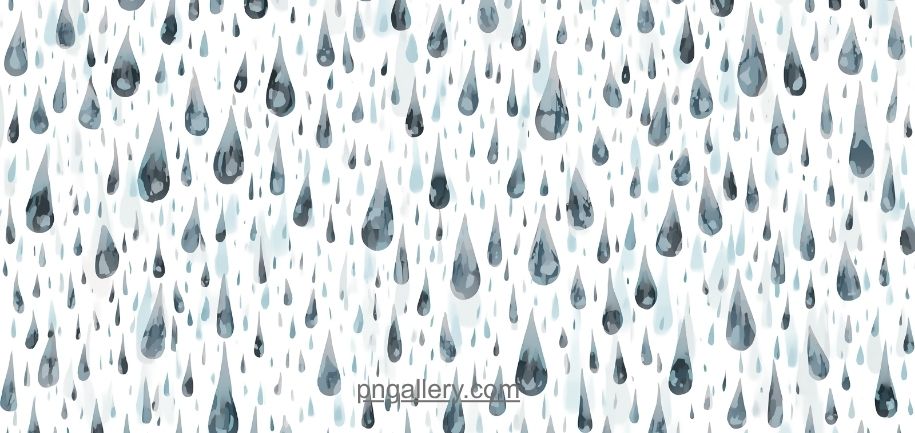
Rain adds mood to any photo. It adds drama too. But real rain is hard to capture. It falls fast. It is hard to see in a normal shot. That is why many designers use rain PNG overlays instead.
This guide explains what rain PNG overlays are. It shows why they work so well. It also shows where to find good ones and how to use them the right way.
What Are Rain PNG Overlays?
A rain PNG overlay is a digital image. It shows falling rain. The file has a clear background. This means you can place it on top of any photo. The rain will show. The photo behind it will still show too.
PNG format makes this possible. PNG supports clear backgrounds. This is different from JPG. JPG files always have a solid background. You cannot layer a JPG rain image over a photo without seeing a box around it.
Rain overlays come in many styles. Some show light drizzle. Some show heavy storms. Some show rain with mist or fog mixed in.
Why Use PNG Format for Rain Overlays?
PNG overlays offer real value. Here are the main reasons.
First, PNG keeps quality high. The rain drops stay sharp. They do not blur or lose detail when saved.
Second, PNG supports layering. You can stack a rain overlay on top of any image. The background photo stays clear.
Third, PNG files blend well. Most photo tools let you adjust opacity. This means you can make the rain look light or heavy.
Fourth, PNG overlays save time. You do not need to shoot in real rain. You just add the effect after the fact.
Where to Find Rain PNG Overlays
Good rain overlays are not easy to find everywhere. Many free sites offer low-quality files. Some have visible edges. Some look fake or flat.
A trusted icon and overlay library solves this problem. You can find a full range of rain PNG overlays with clear backgrounds and sharp detail. This saves you time. It also keeps your final image looking real.
Look for a site that offers different rain styles. You may want soft rain for a calm mood. You may want heavy rain for a storm scene. A strong library gives you both.
How to Download Rain PNG Overlays
Downloading an overlay is simple. Just follow these steps.
First, open the overlay page on the site. Browse the rain styles on offer.
Second, pick the style that fits your project. Think about the mood you want.
Third, check the resolution. Larger images work better for big projects like posters or banners.
Fourth, click download. The file will save to your device in PNG format.
Fifth, open the file to check the background. Make sure it is fully clear before you use it.
How to Use Rain PNG Overlays
Using a rain overlay well takes a few small steps.
Start with a base photo. Pick one with an open sky or a wide space. This gives the rain room to fall.
Add the rain overlay on top. Most photo editors let you drag and drop a new layer.
Adjust the opacity. Full opacity may look too strong. Try 50 to 80 percent for a natural look.
Change the blend mode if your tool allows it. Screen or Lighten mode often works best for rain. This helps the rain blend with the light in your photo.
Add a subtle blur if needed. Real rain often looks slightly soft in motion. A light blur can help sell the effect.
Check the color tone. Rain scenes often look better with cooler, blue-grey tones. You can adjust this in your editing tool.
Best Practices for Rain Overlays
A few tips can make your rain overlay look far more real.
Match the direction of the rain to the wind in your scene. If the trees lean one way, the rain should fall at a slight angle too.
Do not overdo the effect. Too much rain can make a photo look busy or fake.
Use overlays that match your photo’s lighting. A bright photo needs a lighter rain effect. A dark photo can support a heavier one.
Test your final image at full size. Small edits can look fine when zoomed in. But they may look off at full scale.
If you need more variety, this collection of overlay effects offers styles beyond rain too, such as fog, snow, and light leaks.
Mistakes to Avoid With Rain Overlays
A few common mistakes can ruin an otherwise good image.
Do not stretch the overlay to fit a strange size. This can warp the rain drops and make them look wrong.
Do not place rain in a scene with clear, dry ground. This breaks the illusion for viewers.
Do not skip the color match step. Rain scenes need the right tone to feel real. A warm, sunny photo with cold blue rain can look off.
Do not use a low-resolution overlay on a large image. The rain will look blurry or pixelated when you zoom in.
Common Uses for Rain PNG Overlays
Rain overlays show up in many creative fields.
Photographers use them to add mood to portraits and landscapes. A plain sky can turn into a full storm scene in seconds.
Video editors use rain overlays in short clips and intros. They help set a tone without real weather.
Graphic designers use them in posters, album covers, and social media posts.
Game designers use rain effects for backgrounds and loading screens.
Marketers use rain overlays in seasonal ads and mood-driven campaigns.
Conclusion
Rain PNG overlays are a simple but powerful tool. They let you add mood and drama to any image. They save you from waiting for real weather. They also give you full control over the final look.
Always choose a trusted source for your overlays. Check the resolution and background before you download. Follow good blending practices so the rain looks real, not pasted on. With the right overlay, your photos and designs can carry real atmosphere and style.
FAQs
1. What is a rain PNG overlay?
It is a digital image of falling rain. It has a clear background, so you can layer it on top of any photo.
2. Why use PNG instead of JPG for rain overlays?
PNG supports clear backgrounds. JPG does not. This makes PNG the only real choice for layering rain onto a photo.
3. Are rain PNG overlays free to use?
Many sites offer free downloads. Always check the site’s usage rules before you use the files in paid work.
4. What blend mode works best for rain overlays?
Screen or Lighten mode often works best. These modes help the rain blend with the light in your photo.
5. Can I use rain overlays for video projects?
Yes. Many video editors support PNG overlays. You can layer them into clips just like you would in a photo tool.