
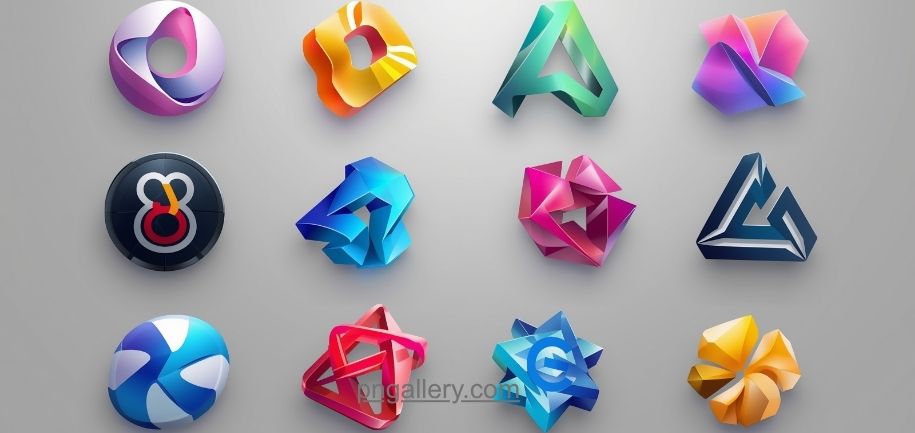
Logos are everywhere. You see them on websites. You see them on apps. You see them on packaging too. But not every logo file works for every project. Sometimes you need a clean logo with no background. That’s where transparent PNGs come in handy.
In this guide, we’ll walk through everything you need to know. We’ll cover what transparent PNGs are. We’ll show you why they matter. And we’ll explain how to download them the right way.
What Is a Transparent PNG?
A PNG is a file format. It stands for Portable Network Graphics. PNG files can hold images with see-through backgrounds. This is called transparency.
Think of it this way. A normal photo has a solid background. Maybe it’s white. Maybe it’s blue. But a transparent PNG has no background at all. You can place it on any color. You can place it on any image. The logo will blend right in.
This makes transparent PNGs perfect for logos. You can drop them onto a website. You can put them on a flyer. You can add them to a video. They will always look clean.
Why Use Transparent Logo PNGs?
Let’s talk about why these files matter so much.
First, they save time. You don’t need to edit out backgrounds yourself. The work is already done.
Second, they look professional. A logo with a white box around it looks messy. A transparent logo looks sharp and polished.
Third, they work everywhere. You can use them on dark backgrounds. You can use them on light backgrounds. You can use them on photos. The logo always fits.
Fourth, they’re flexible. Designers love flexible files. Marketers love them too. Anyone building a brand needs them.
Where to Find Transparent Logo PNGs
Not all websites offer good quality files. Some sites have watermarks. Some sites have low resolution images. Some sites require sign-ups just to download one file.
You want a site that’s simple. You want a site that’s fast. You want a site with real transparent backgrounds.
This is where PNGallery comes in. It’s built for exactly this purpose. The site offers a huge library of PNG images. Many are organized by category. This makes searching easy.
You don’t need special software. You don’t need to install anything. You just search, click, and download.
Step-by-Step: How to Download a Transparent Logo PNG
Let’s break this down into simple steps.
Step 1: Visit the website
Go to PNGallery. The homepage shows trending images. It also shows categories.
Step 2: Search for your logo
Use the search bar. Type the brand name or logo type. Results will show up fast.
Step 3: Check the preview
Look at the thumbnail. Make sure it has a checkered background. This pattern means transparency.
Step 4: Click download
Press the download button. The file will save to your device.
Step 5: Check the format
Open the file. Confirm it’s a PNG. Confirm the background is clear.
That’s it. Five simple steps. No complex tools needed.
How to Use Transparent Logo PNGs
Once downloaded, you can use these files in many places.
You can add them to PowerPoint slides. You can place them on Canva designs. You can drop them into Photoshop projects. You can even use them in mobile apps.
Web designers often use them for headers. Marketers use them for ads. Students use them for projects and presentations.
The key benefit is simple. No matter where you place the logo, it blends in. There’s no white box. There’s no awkward border. Just a clean, professional look.
Tips for Choosing the Right PNG File
Not every PNG is created equal. Here are a few tips to keep in mind.
Check the resolution. Higher resolution means sharper images. Low resolution can look blurry when resized.
Check the file size. Larger files take longer to load. For web use, smaller files often work better.
Check the background carefully. Some files claim to be transparent but aren’t. Always preview before downloading.
Check the license. Free doesn’t always mean unrestricted. Read any terms before using a logo commercially.
Common Mistakes to Avoid
Many people make small mistakes when downloading PNGs. Let’s avoid these.
Don’t grab the first result without checking it. Always preview the image first.
Don’t ignore file size. Huge files can slow down your website.
Don’t skip quality checks. A pixelated logo can hurt your brand image.
Don’t forget to organize your downloads. Save files in folders by project. This saves time later.
Why PNGallery Is a Great Choice
PNGallery makes this whole process easy. The site is clean. The categories are organized. The search function works well.
You don’t need an account to browse. You don’t need to pay for basic downloads. And new images get added regularly, so there’s always something fresh to find.
Whether you’re a designer, a student, a blogger, or a business owner, PNGallery has something useful for your projects.
Conclusion
Transparent logo PNGs are essential tools. They save time. They look professional. They work on any background.
Finding the right file doesn’t have to be hard. With a site like PNGallery, you can search, preview, and download in just a few clicks. No complicated software. No long sign-up forms. Just simple, fast downloads.
Next time you need a logo for your project, skip the guesswork. Head to PNGallery and find the transparent PNG you need today.
FAQs
1. What does “transparent PNG” mean? It means the image has no background color. You can place it on any surface, and it will blend in naturally.
2. Can I use transparent logo PNGs for free? Yes, many sites like PNGallery offer free downloads. Just check the daily limit and terms before using files commercially.
3. How do I know if a PNG is truly transparent? Look for a checkered pattern in the preview. This pattern shows where the background is missing.
4. What software do I need to use transparent PNGs? None. You can open these files in any image viewer, design tool, or document editor.
5. Why does my logo look blurry after downloading? This usually means the resolution was too low. Always pick higher resolution files for sharper results.